
Client
A portal clients actually use
One login for project status, review queues, and shared files — without exposing internal rates or margins.
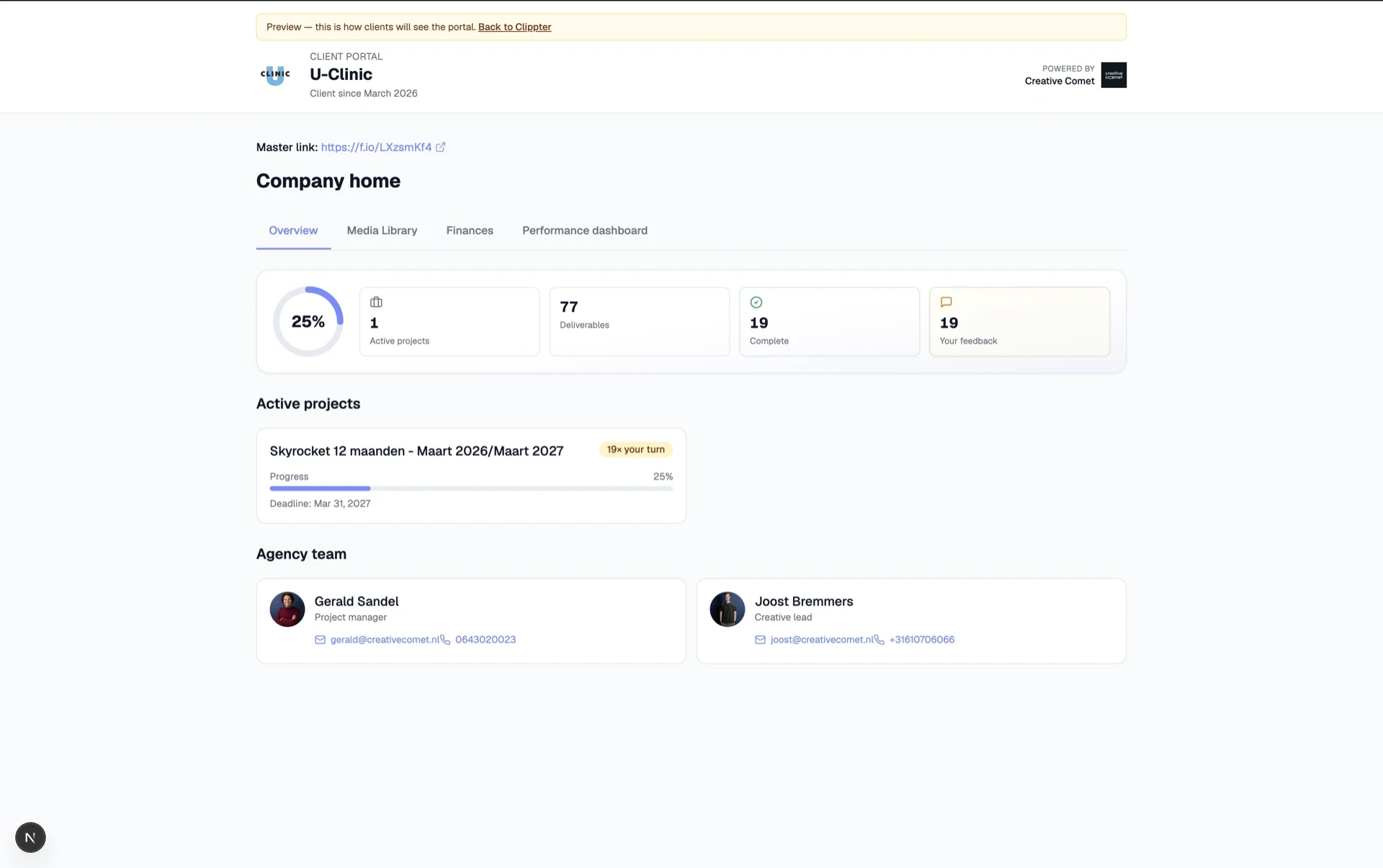
Clients should not hunt through email, Drive, and guest logins. They need one place that answers: what is waiting on me, what can I download, and where do I leave feedback?
Clippter’s portal gives them company home, project hubs, and review queues — with a hard wall against internal notes, costs, and team chatter.
- Company homeClients land on their workspace view — their projects and media, not your whole account.
- Project hubProgress, deliverables, and waiting feedback in one dashboard.
- Review in contextOpen the cut that needs a decision from the portal queue.
- Shared filesScripts and PDFs marked share-with-client — without opening the entire Drive.
- Invites that stickInvite each address that should sign in. Access follows the client.
- Strict separationInternal review, rates, and margins never appear on the client side.
Stop shipping the agency through email
Threads bury approvals. One-off links expire or get forwarded. A portal does not remove conversation — it gives status and files a home.
- One client loginProjects, review, and shared files without three guest passwords.
- Waiting on client — visibleClients see what needs a decision instead of asking “any update?”
- Findable after Slack diesFiles and status remain when the chat thread is gone.
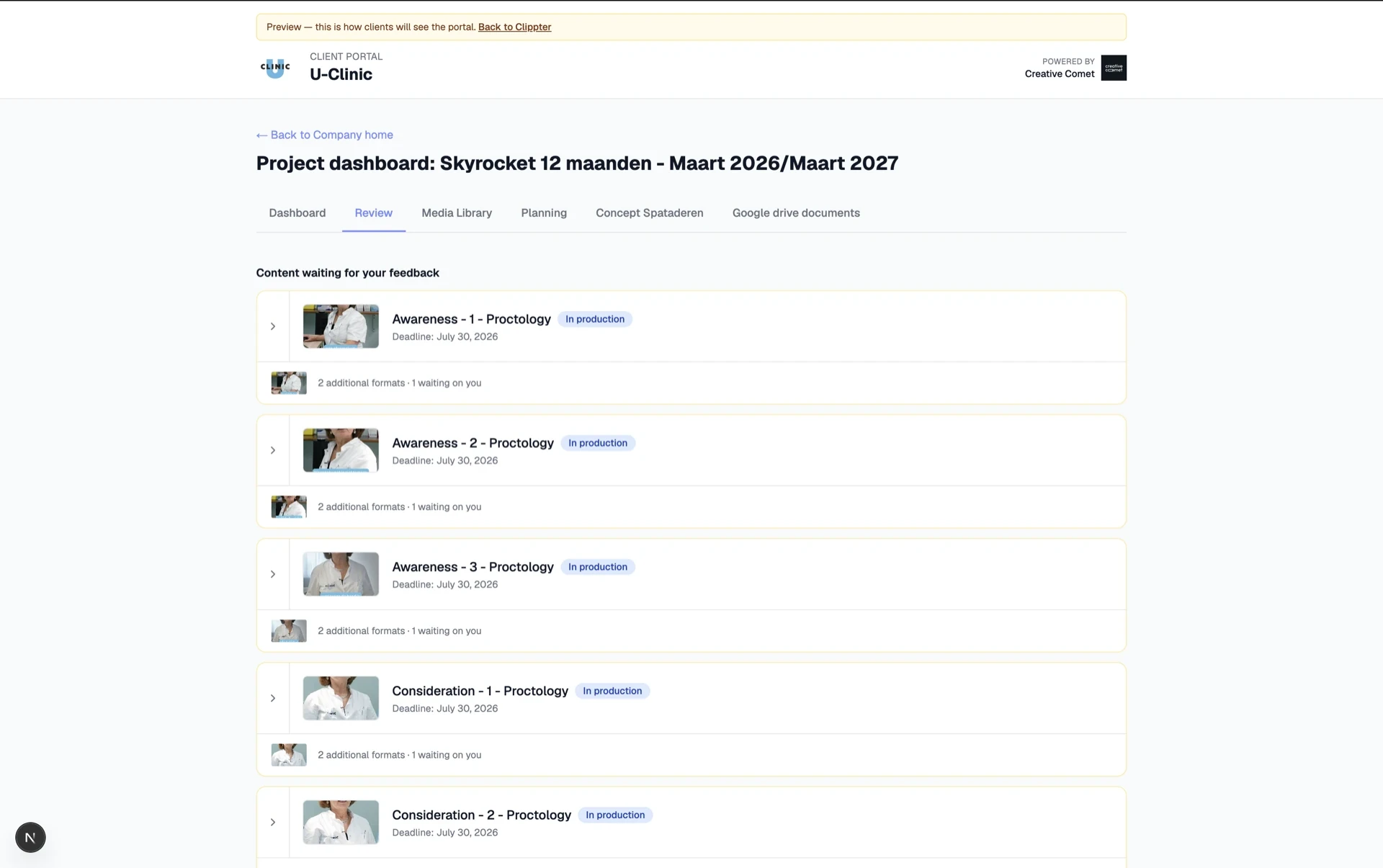
What clients see vs what stays internal
Producers only trust a portal if the sausage-making stays hidden. Clippter enforces that split.
- Internal review stays internalTeam-only cuts and notes do not leak to the client view.
- You choose shared filesMark PDFs and docs share-with-client on the project — nothing else.
- No rates, no marginsCommercial internals never appear beside client deliverables.
Links with real access control
Copy a company, project, or review link when you need to point someone — and see who can open it before you email.
- Who can open thisActive vs invited-not-active listed on the share dialog.
- Warn before you sendClear signal when nobody can open the link yet.
- Invite the right emailsPortal access uses real contact addresses — not anonymous guest tokens forever.
Also in this area
- Company portal linkOne entry for all of a client’s projects.
- Project portal linkDeep-link a single job.
- Video review linkPoint at one cut when that is all they need.
- Pre-production sharesConcept boards / call sheets when you enable client share.
- Download controlsGovern what clients can take offline.
- Agency previewSee client view earlier while you still produce.
Frequently asked questions
Do clients need a Clippter account?
They activate a portal login from an invite email — that is a client portal account, not an agency workspace login.
Can clients see our rates or margins?
No. Internal notes, costs, and commercial internals stay on the agency side.
How do invites work?
Invite each email that should sign in. Exact contact emails matter — the same people you already keep on the company record.
What if I send a link and nobody can open it?
The share dialog shows who can open the link and warns when nobody is active yet — invite before you email.
Replaces
- Email threads
- One-off Drive links
- Guest tool logins
- Shared Dropbox
More features